

The Metadata Validator is built to check your NFT metadata against the HIP-412 (NFT Token Metadata JSON Schema v2) standards, ensuring proper representation. You can validate metadata by uploading a CSV file, a single JSON file, or a zip file containing multiple JSON files. The tool identifies errors or missing fields, allowing for easy corrections and ensuring compliance with standards. This tutorial will guide you through uploading, validating, and correcting your NFT metadata for seamless compliance.Documentation Index
Fetch the complete documentation index at: https://hedera-0c6e0218-feat-hip-1313-high-volume-entity-creation.mintlify.app/llms.txt
Use this file to discover all available pages before exploring further.

Metadata Validator Web App

Metadata Validator Repo

HIP-412: Metadata Standard
How to Use the NFT Metadata Validator
Step 1: Download the Example Files
Download the example files. These files contain sample NFT metadata in various formats (zip, JSON, CSV) and will help you understand how to use the tool to validate your metadata.
Step 2: Upload Metadata for Validation
If you’re validating JSON metadata, drag the zip file with the JSON files into the “upload a file” drop area. Once the zip file is successfully uploaded, the tool will process all the JSON files included in it.JSON metadata example
JSON metadata example
7.json
CSV file example
CSV file example
example-3.csv

Step 3: Review Validation Results
After processing, the tool will return a list of the validation results for each NFT in the file (see the above image in Step 2). It will indicate whether the metadata passes or fails the HIP-412 standards tests.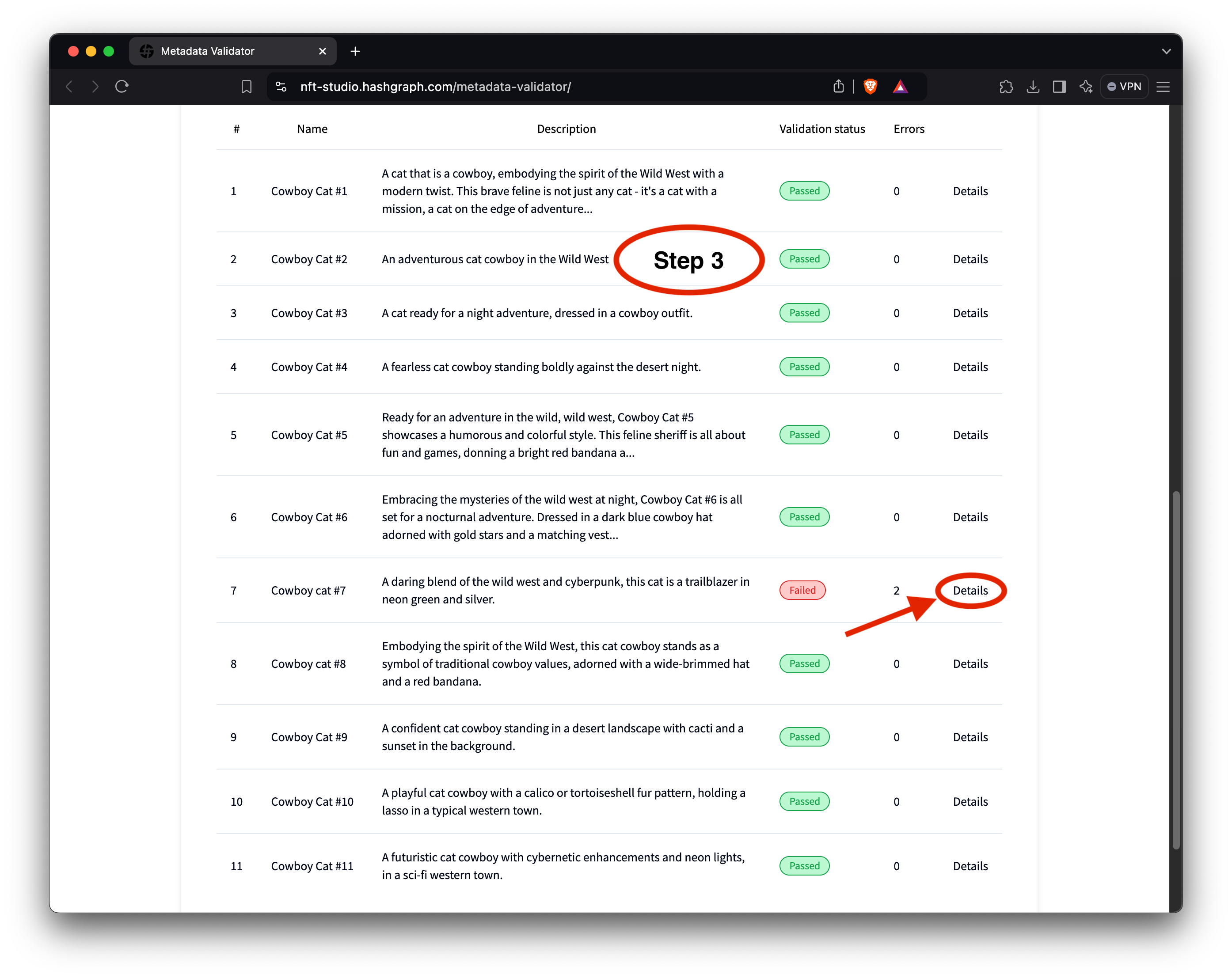
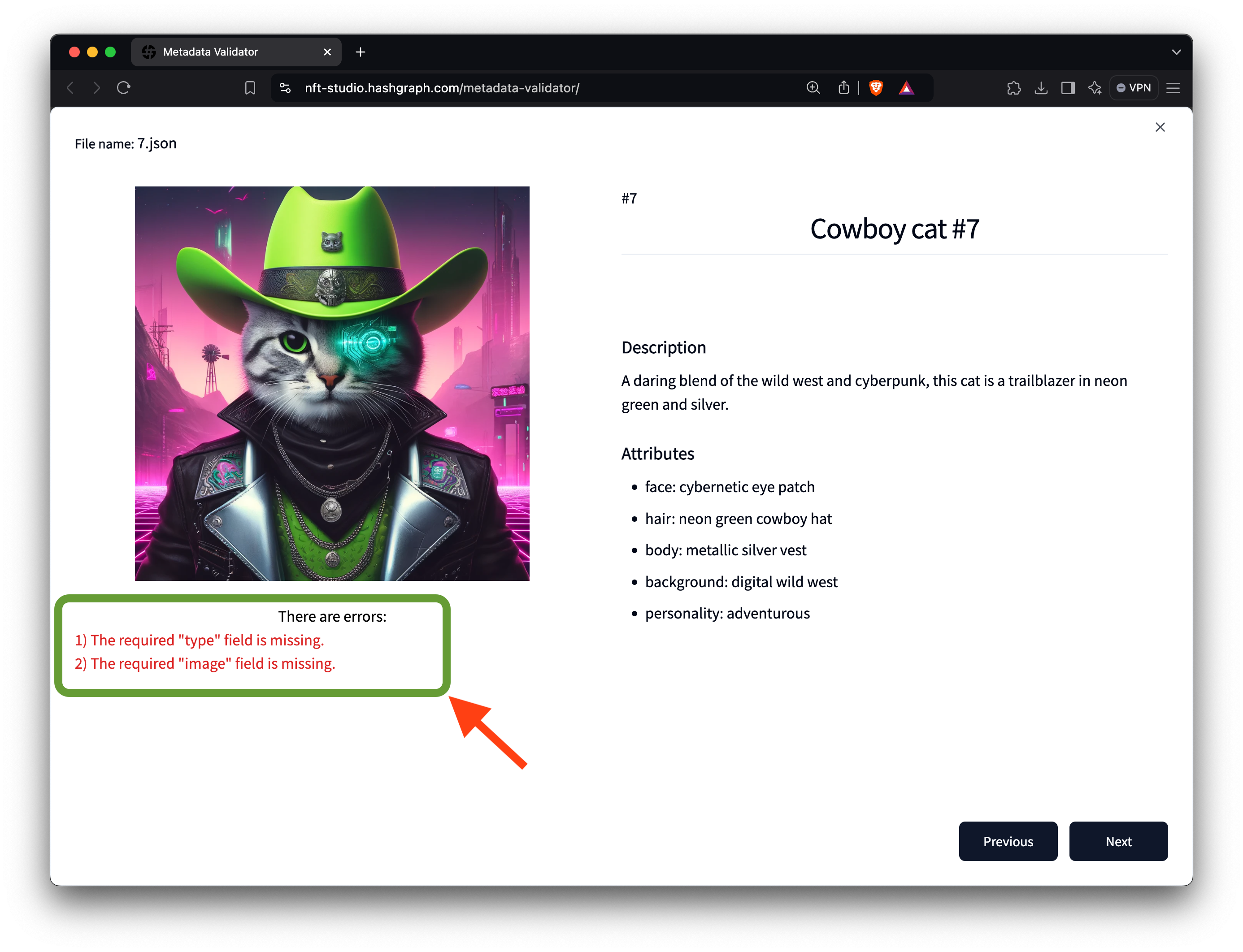
Step 4: Resolve the Errors in the Metadata File
Before proceeding with your NFTs, ensure all required fields are present and meet the HIP-412 standards. Open the CSV file, update the missing “type” and “image” fields, and save the file. Upload your updated metadata file to the validator tool to confirm that the errors have been resolved.
Use Cases
Use Cases
- Before minting your NFTs on Hedera, use the Metadata Validator to ensure all
metadata meets HIP-412 standards, preventing errors during token creation. *
If you have a large collection, you can validate multiple JSON files
simultaneously by uploading them as a
.zipfile, saving time in verifying consistency across all NFTs. * The tool provides a step-by-step report on any errors or missing fields, allowing you to make corrections and re-upload your file until compliance is achieved, ensuring a smooth minting process.